



Introduction
Scheduling a meeting with multiple people sounds simple — until you actually try to do it.
Endless messages. Conflicting availability. Delays just to pick a time.
That’s exactly the problem Doodle is built to solve.
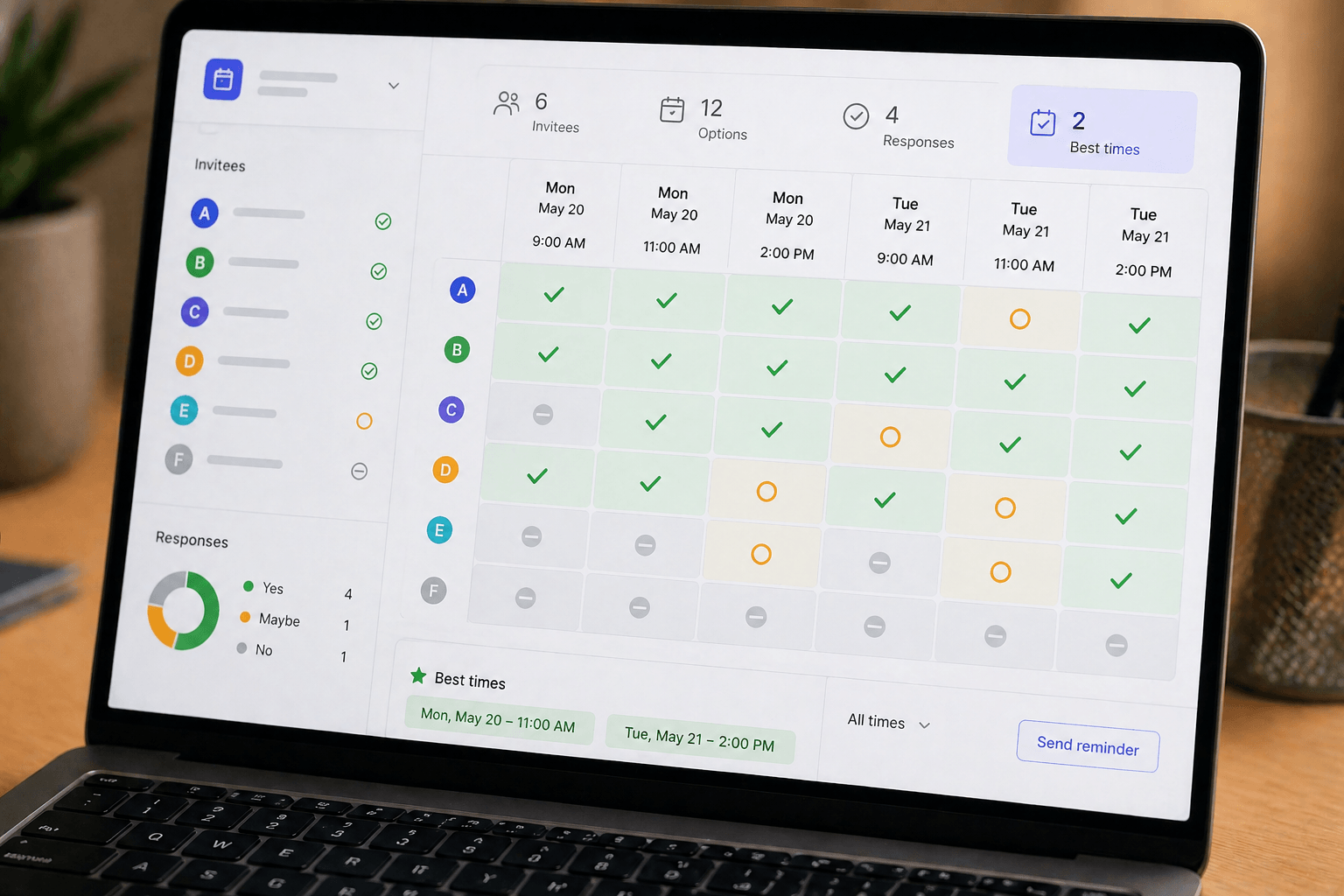
Instead of going back and forth, Doodle lets you create a poll, share it, and let participants choose what works for them.
But is it still worth using today, especially with so many alternatives available?
Let’s break it down in a practical, no-hype way.
What Doodle Actually Does
Doodle is a scheduling tool focused on group coordination.
At its core, it helps you:
- Create time polls
- Collect availability from multiple people
- Find the best meeting slot
- Avoid back-and-forth communication
It’s especially useful when scheduling with groups instead of individuals.
Real Use Case: Where Doodle Works Best
Doodle shines in specific situations.
Example Scenario
You need to schedule a meeting with:
- A team
- Clients
- Partners
- Event participants
Everyone has different availability.
Instead of asking “what time works for you?”, you:
- Create a poll with time options
- Share the link
- Let participants vote
- Choose the best time
This can save hours of communication.
Key Features
Poll-Based Scheduling
This is Doodle’s core feature.
Why it works:
- Simple to use
- Clear availability overview
- No confusion
- Fast decision-making
Group Coordination
Unlike one-on-one schedulers, Doodle is built for groups.
Benefits:
- Handles multiple participants easily
- Avoids overlapping conflicts
- Works well for teams
Calendar Integration
Doodle can connect with calendars.
This helps:
- Avoid double booking
- Sync availability
- Reduce errors
Booking Option (Individual Meetings)
Doodle also supports one-on-one scheduling.
However, this is not its main strength compared to other tools.
Where Doodle Feels Limited
Doodle is strong in one area — but limited in others.
Limitations
- Basic customization options
- Limited automation features
- Not ideal for advanced workflows
- Interface feels simple compared to newer tools
If you need automation or complex scheduling, you may outgrow it.
Ease of Use
This is one of Doodle’s biggest advantages.
You can:
- Create a poll in minutes
- Share instantly
- Get responses quickly
No technical knowledge required.
Perfect for beginners and non-technical users.
Performance and Efficiency
Doodle saves time by:
- Eliminating back-and-forth emails
- Making availability visible
- Simplifying decision-making
However, it does not automate workflows beyond scheduling.
Pricing Overview
Doodle offers both free and paid plans.
Free Plan
- Basic poll creation
- Limited features
- Ads included
Paid Plans
- No ads
- Additional features
- More control
The free plan is enough for occasional use.

Pros
Extremely Easy to Use
Anyone can start immediately.
Perfect for Group Scheduling
Handles multiple participants well.
Fast Setup
Create and share polls quickly.
Cons
Limited Advanced Features
Not suitable for complex workflows.
Basic Customization
Less flexible than modern tools.
Not Ideal for Automation
Focuses only on scheduling polls.
Who Should Use Doodle
Doodle is ideal for:
- Teams scheduling meetings
- Event organizers
- Small businesses
- Freelancers working with groups
If your main need is coordinating availability, it works well.
Who Should Not Use Doodle
You may want alternatives if you:
- Need automation
- Manage high-volume bookings
- Want advanced integrations
- Prefer all-in-one scheduling systems
Common Mistakes
Using It for One-on-One Scheduling
Better tools exist for that use case.
Adding Too Many Time Options
Too many choices slow decisions.
Not Setting Clear Deadlines
Participants may delay responses.
Pro Tips for Better Results
Limit Time Options
3–5 options work best.
Set a Response Deadline
Encourages faster replies.
Use Clear Titles
Helps participants understand the meeting.
Keep It Simple
Simple polls get faster responses.
Final Verdict
Doodle is not the most advanced scheduling tool — but it doesn’t try to be.
Its strength is simplicity.
If you need:
- Fast group scheduling
- Easy coordination
- No technical setup
It works extremely well.
If you need:
- Automation
- Advanced workflows
- Complex scheduling systems
You’ll likely need something more powerful.
Conclusion
Doodle solves a very specific problem — and solves it well.
It removes friction from group scheduling and makes coordination simple.
For many users, that’s more than enough.
The key is understanding what it’s built for.
Because the best tool isn’t the one with the most features — it’s the one that solves your problem the fastest.