



Introduction
Most businesses don’t fail because of bad ideas — they fail because of poor organization.
Tasks get lost. Ideas are scattered. Teams work without clear systems.
That’s where Notion becomes a game changer.
Notion isn’t just a note-taking app. It’s a complete workspace where you can manage your business, track progress, and scale faster.
In this guide, you’ll learn how to use Notion to grow your business in a practical, no-overcomplication way.
Why Notion Is Powerful for Business Growth
Notion combines multiple tools into one platform.
Instead of using:
- Notes app
- Task manager
- Database
- Documentation tool
You can manage everything in one place.
Key Advantages
- All-in-one workspace
- Flexible structure
- Easy collaboration
- Scalable systems
Less chaos = more growth.
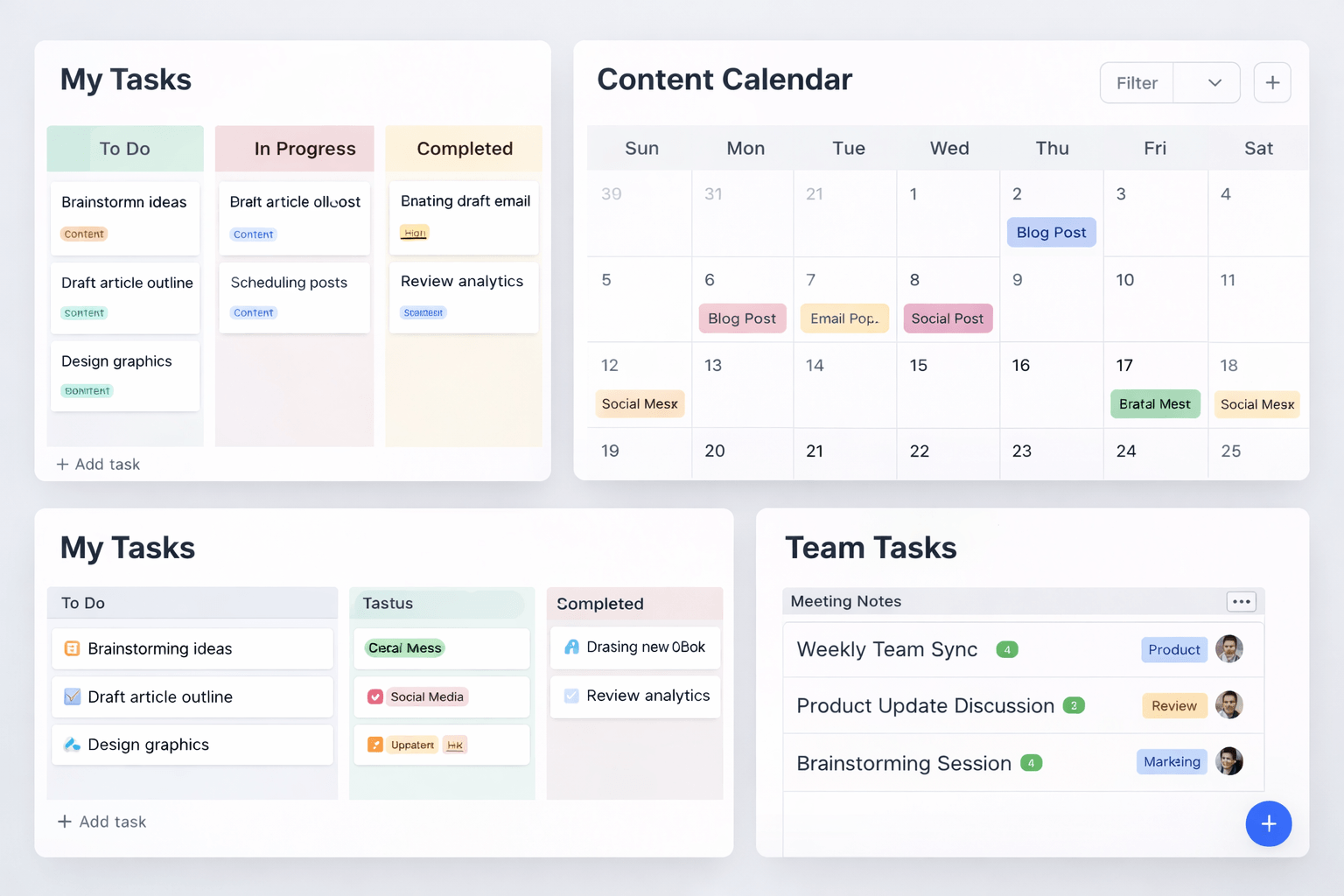
Step 1: Build a Simple Business Dashboard
Start with one main page — your command center.
What to Include
- Tasks
- Projects
- Notes
- Goals
Keep everything visible and easy to access.
Pro Tip
Don’t overbuild your dashboard. Simplicity wins.
Step 2: Create a Task Management System
Tasks are the foundation of productivity.
What to Track
- Task name
- Status (To Do, In Progress, Done)
- Priority
- Deadline
Use Views
- Board (Kanban)
- List
- Calendar
This makes work clear and structured.
Step 3: Use Databases for Organization
Notion databases are where the real power is.
Use Cases
- Content planning
- Client management
- Product tracking
- CRM systems
Why It Works
You can filter, sort, and connect data easily.
Step 4: Document Everything
Your business should not depend on memory.
Create Pages For
- Processes
- SOPs (Standard Operating Procedures)
- Guidelines
- Internal knowledge
This saves time and reduces mistakes.
Step 5: Manage Content and Marketing
Notion is perfect for content planning.
What You Can Do
- Plan blog posts
- Track social media
- Organize campaigns
Example Structure
- Title
- Status
- Publish date
- Platform
Consistency grows traffic.
Step 6: Collaborate With Your Team
Notion works great for teams.
Features
- Real-time editing
- Comments and mentions
- Shared workspaces
Everyone stays aligned.
Step 7: Track Goals and Progress
Growth requires tracking.
What to Monitor
- Weekly goals
- Monthly targets
- Project progress
Tip
Break big goals into smaller tasks.

Notion vs Other Tools
| Tool | Best For | Flexibility | Ease of Use |
|---|---|---|---|
| Notion | All-in-one workspace | Very High | Medium |
| Trello | Task boards | Medium | Easy |
| ClickUp | Advanced workflows | High | Medium |
| Airtable | Databases | High | Medium |
Common Mistakes
Overcomplicating Setup
Too many pages = confusion.
Not Using Databases
Databases are the core of Notion.
No Clear Structure
Without structure, Notion becomes messy.
Pro Tips for Faster Growth
Start Simple
Build as you grow.
Use Templates
Save time and stay consistent.
Keep Everything in One System
Avoid switching between tools.
Review Weekly
Adjust your system regularly.
Conclusion
Notion isn’t just a productivity tool — it’s a business system.
If used correctly, it helps you:
- Stay organized
- Work faster
- Scale efficiently
Start simple, build gradually, and stay consistent.
Because the businesses that grow the fastest aren’t the busiest ones — they’re the most organized ones.